


Last-mile delivery
Velocitti Runs Every Pickup And Every Delivery From One System
Velocitti picks up Mercado Libre Flex orders in the morning and delivers for its own merchants in the afternoon, with the same fleet. I built the system that runs all of it: an Android app for the street, a console for the office, a portal for merchants and a tracking link for whoever is waiting on a package. And I left it ready to grow, up to 3,000 drivers.
- Days from kickoff to the first signed app release
- 14
- Client points, each turned into a written promise
- 23
- Offline events synced in order, zero duplicates
- 16/16
- Full database restore, tested for real
- 9 min
The Operation
Velocitti is a last-mile delivery company in Mexico City and the State of Mexico, with its own fleet of motorbikes, cars and vans. Its day has two loads. In the morning it picks up Mercado Libre Flex orders at the sellers' locations, and those go out for delivery the same day. In the afternoon it delivers for its own merchants, whose packages go through a warehouse and leave the next day on a planned route.
The same fleet and the same phone handle both loads. And a package can change hands: the person who picks it up is not always the one who brings it to the door.
Before The System
The business grew on two fronts, and the coordination stayed in messages to the office and in each driver's experience. There was no single view of both sources of work. Each package's warehouse was decided later, by hand. The route depended on whoever was driving. Merchants messaged the office to schedule a pickup or to ask about a shipment. And there were no numbers to sit down with a driver, a route or a seller.
What Velocitti asked for was to run that operation, the one that already worked, on a single system.
Everything In Writing Before We Started
Velocitti sent me 18 points in writing, and on a call we clarified five more. Before building anything, I turned each one into a named promise with its delivery phase, and that document became the contract: if something wasn't in it, it wasn't sold.
What depended on third parties was in writing from day one too. Automatic sync with Mercado Libre was not promised, because it depends on what their API allows and on each seller authorizing the app. What was promised: read their label and record every pickup and every delivery with a scan.
The working rhythm was agreed as well: a written status every Wednesday and a demo every other Friday.
What I Built
For Pickups
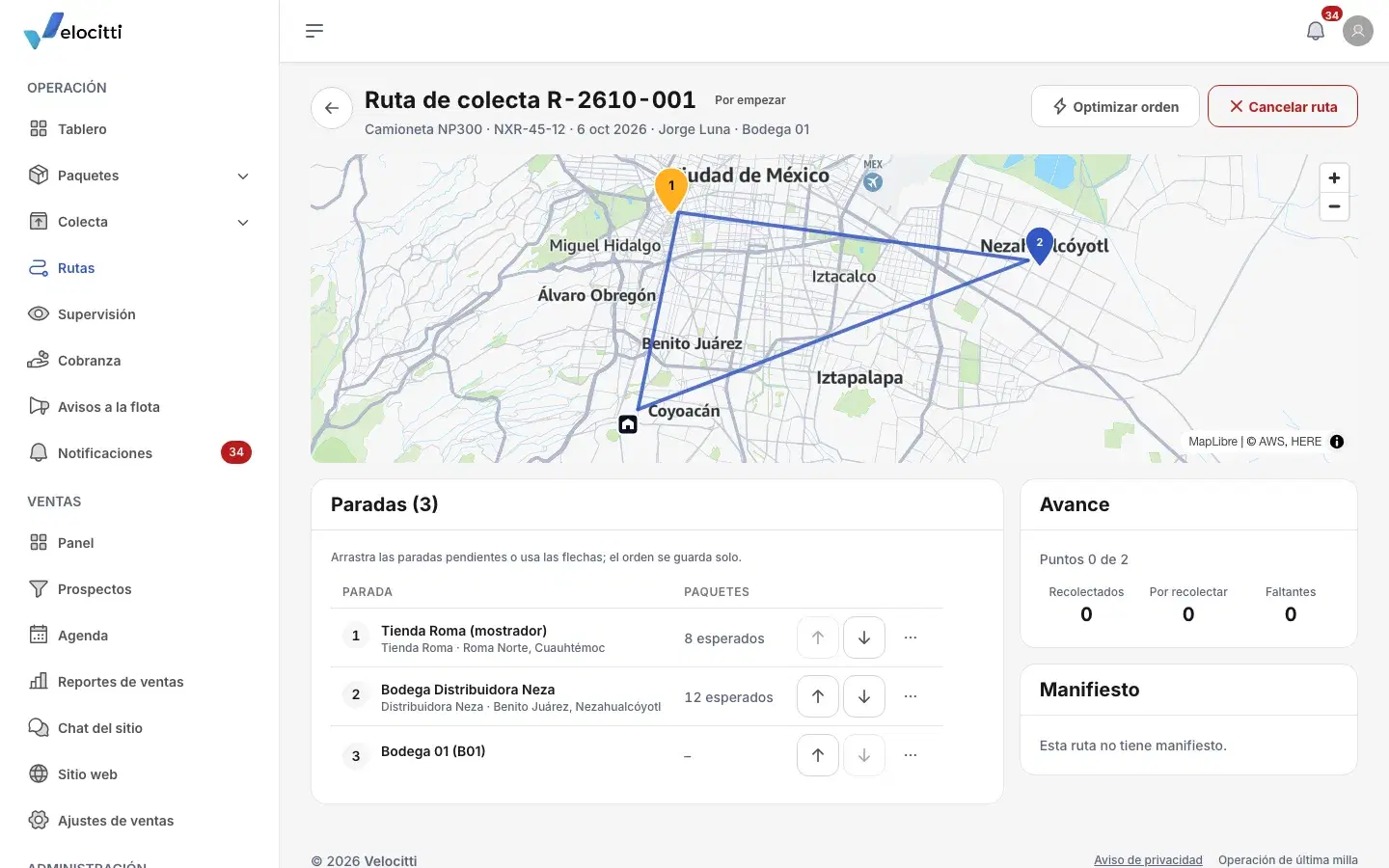
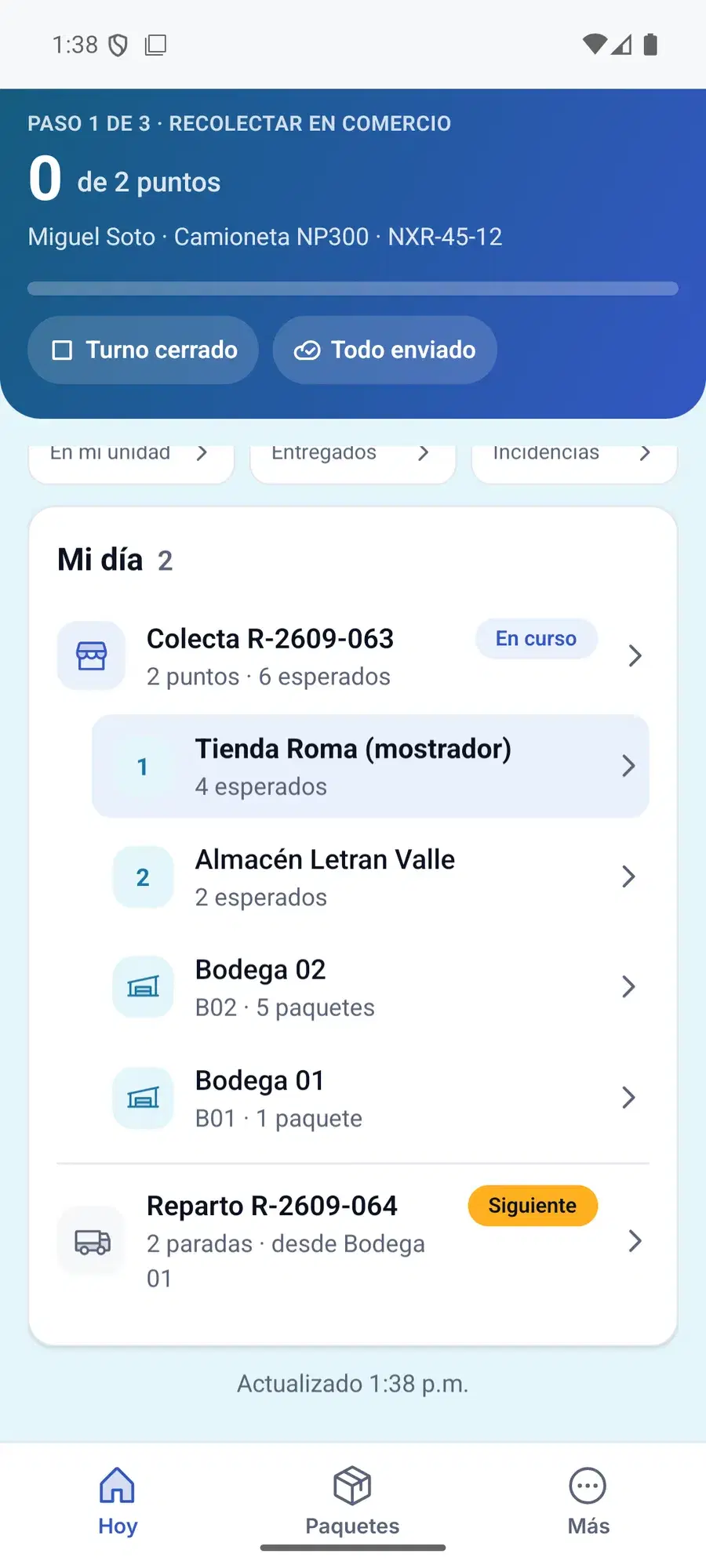
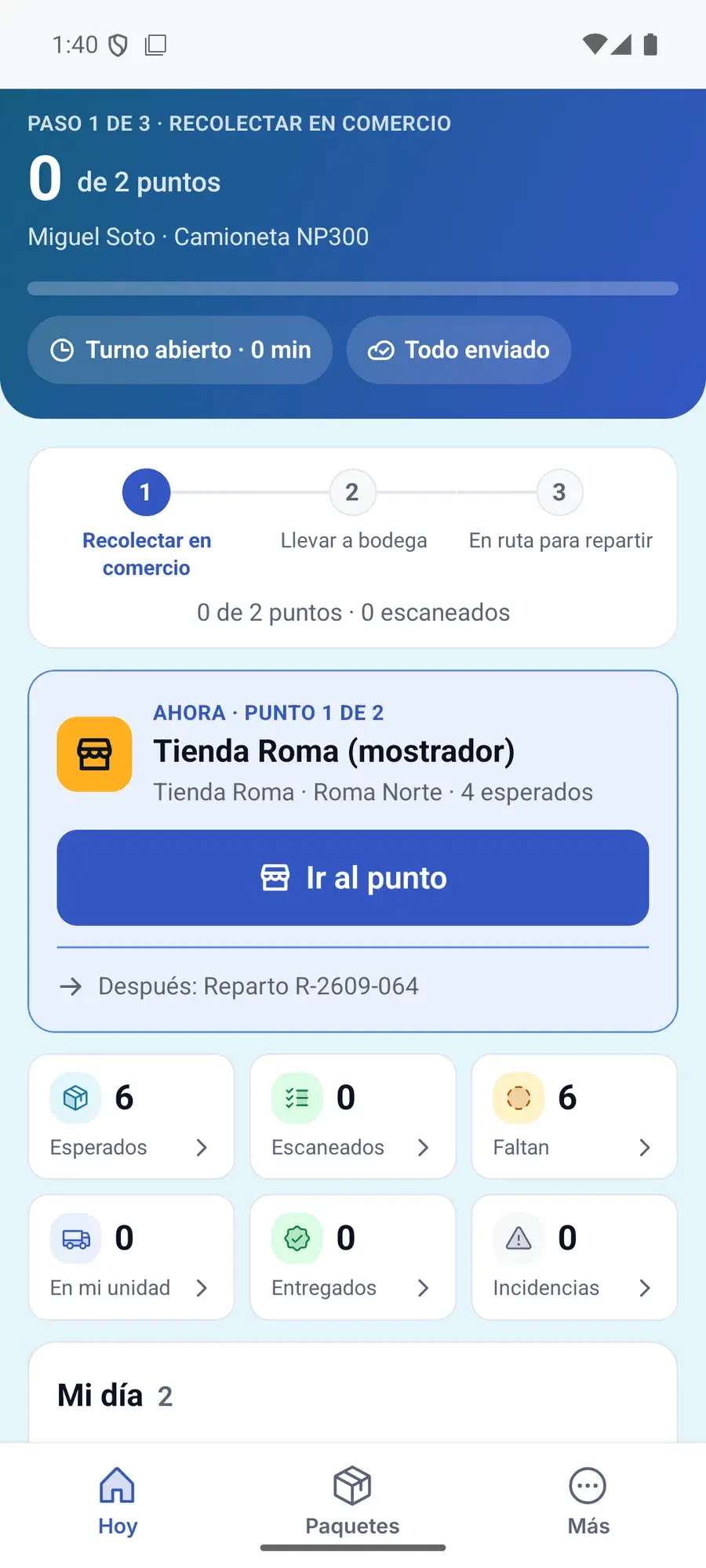
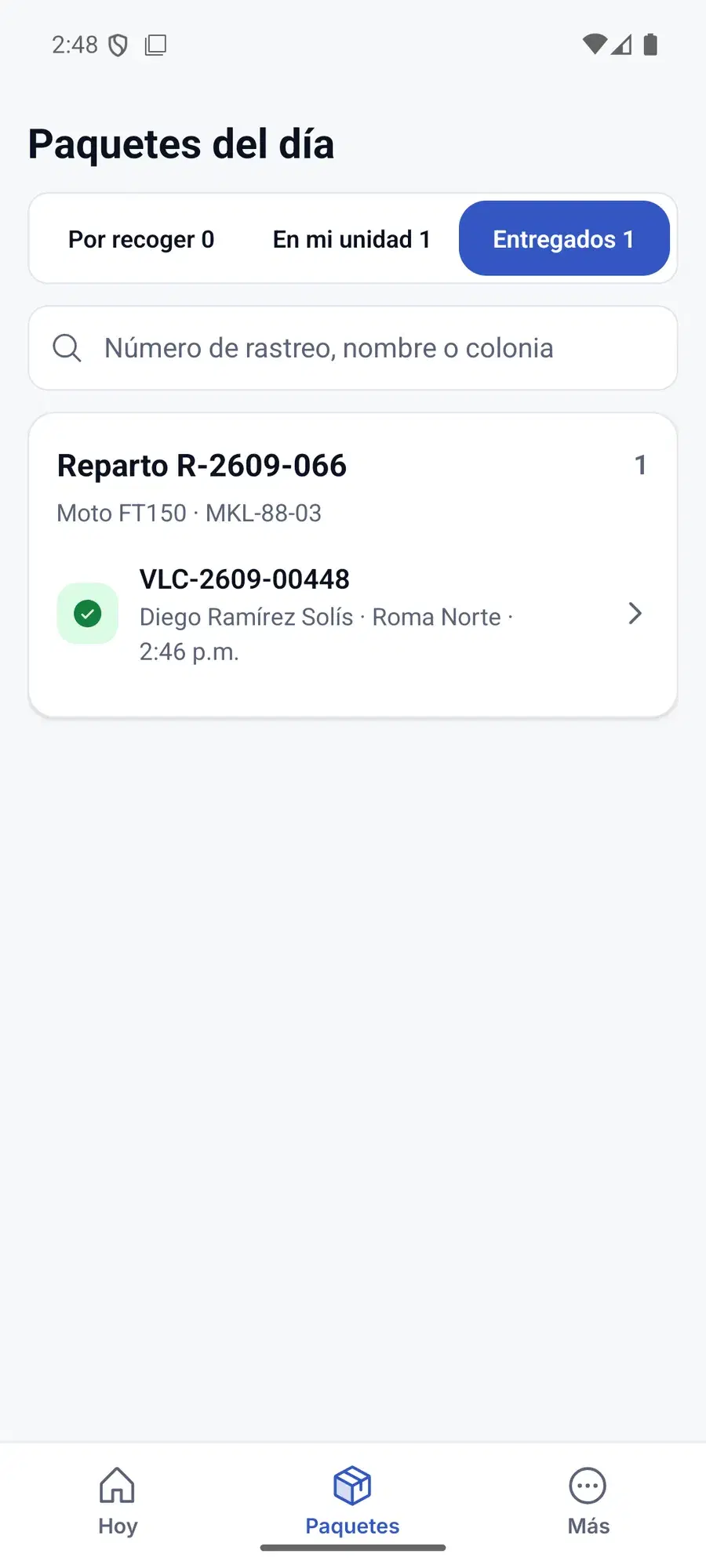
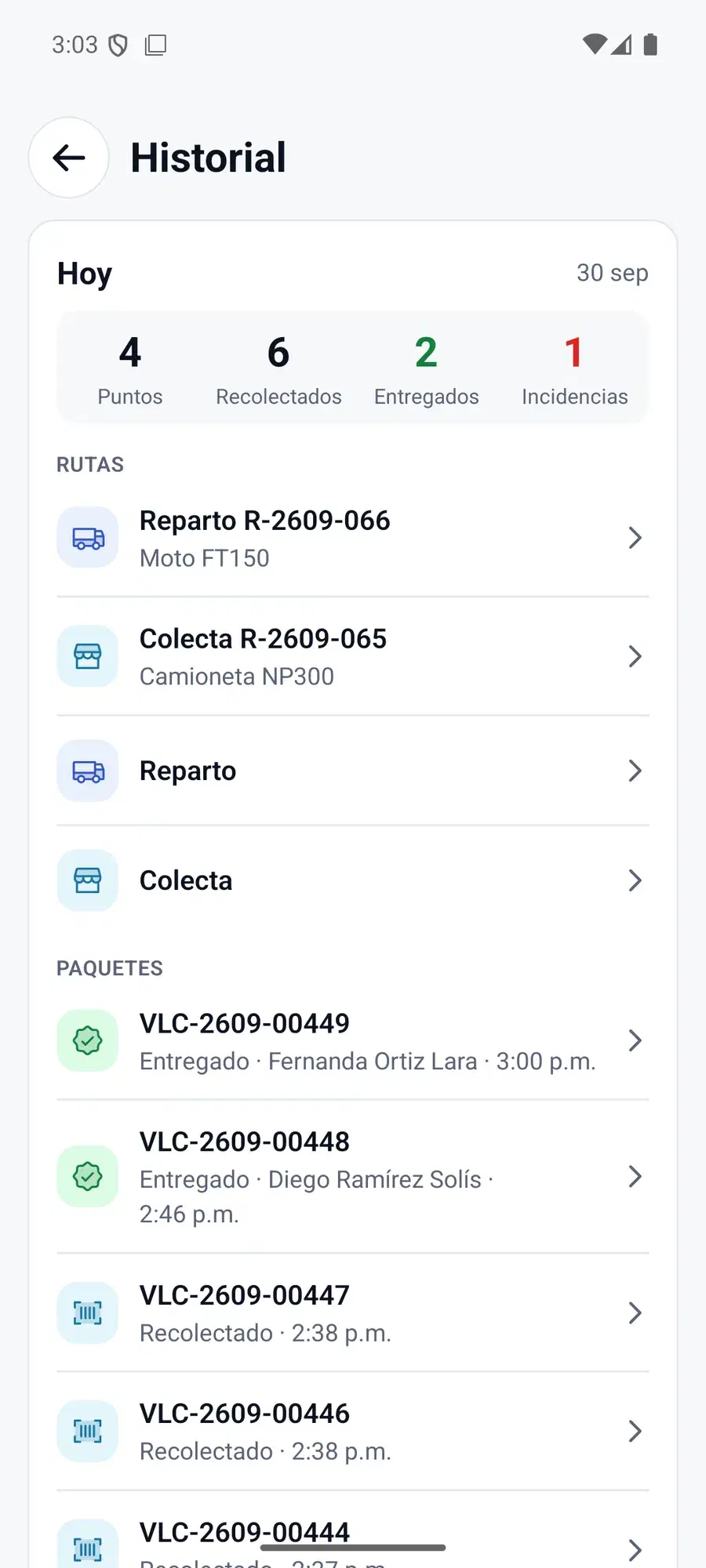
The pickup driver sees the day's locations on a map, with how many packages are waiting at each one. They scan the barcode or the QR code, and if the label arrives damaged, the camera reads the printed number and keeps a backup photo. That same scan marks the package as picked up and sends it to the right warehouse, following Velocitti's zone rules.
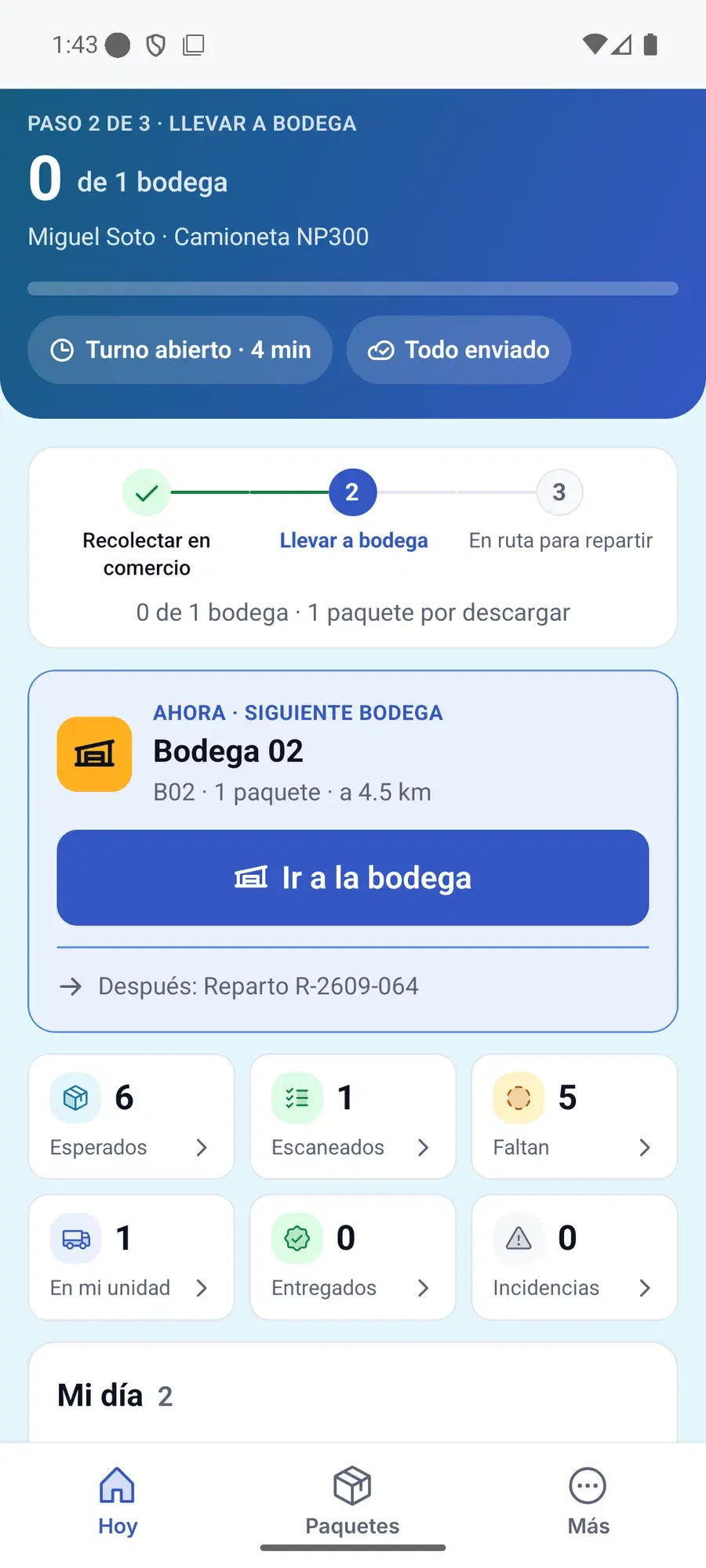
Before moving, the driver confirms the load manifest for their unit. On arrival at a warehouse, the app checks their location against the warehouse's and asks for a photo of the drop-off, because some warehouses have no supervisor on site.
For Deliveries
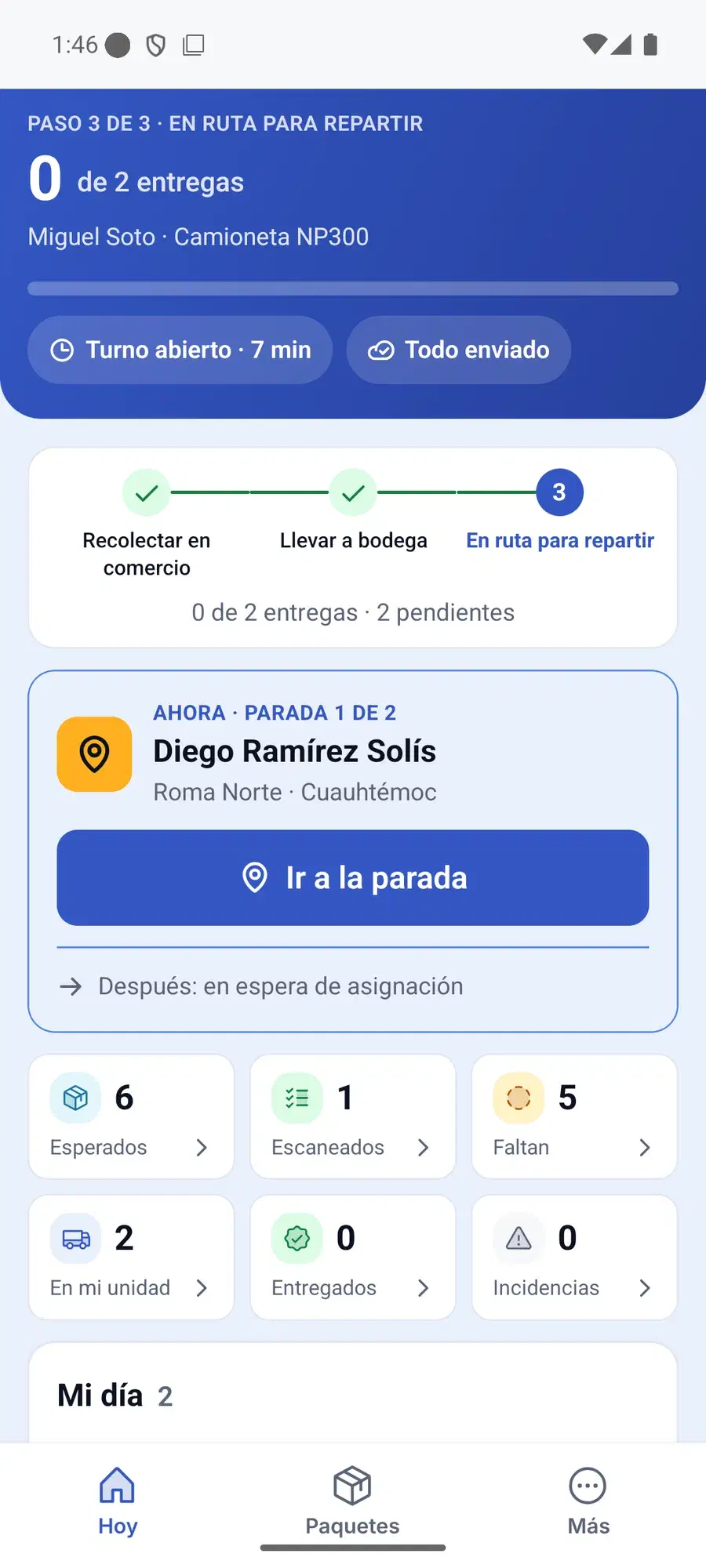
The delivery driver sees the day's drops on a map. At the door they record the delivery with a photo, a signature and the time, or an incident with its reason.
The app works with no signal. In the airplane-mode test it stored 16 events offline, was closed and reopened, and once the signal came back it synced them in order, with zero duplicates.
The vans work as warehouses on wheels: they can hand packages over to the motorbikes, and every transfer is recorded in the package's history.
For Supervisors And The Office
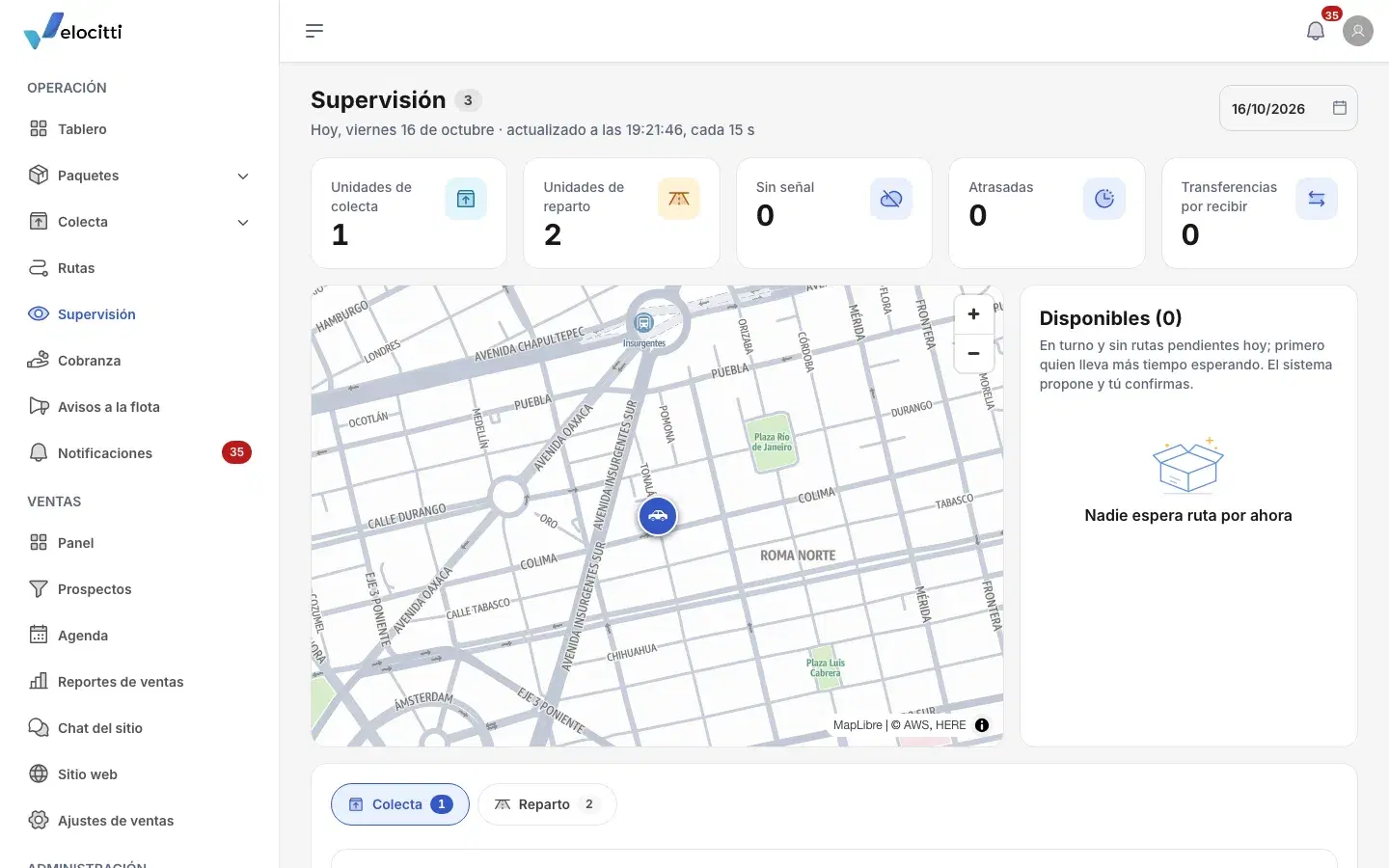
Supervisors see every unit from their phone: what it delivered, what's left and any incidents. The office has a console with packages, pickups, warehouses, routes, drivers and reports, a dashboard with the day's numbers, and reports by driver, by route and by pickup location. Every change goes into a log with who made it and when.
For Merchants
Each merchant joins by invitation and schedules pickups by saying how many packages they have and how much space they take. They upload shipments one at a time or with a file, and they see the status of every package, with the delivery photo and signature.

For Whoever Is Waiting On A Package
A link, with no account or password, showing where their shipment stands.
For The Sales Team
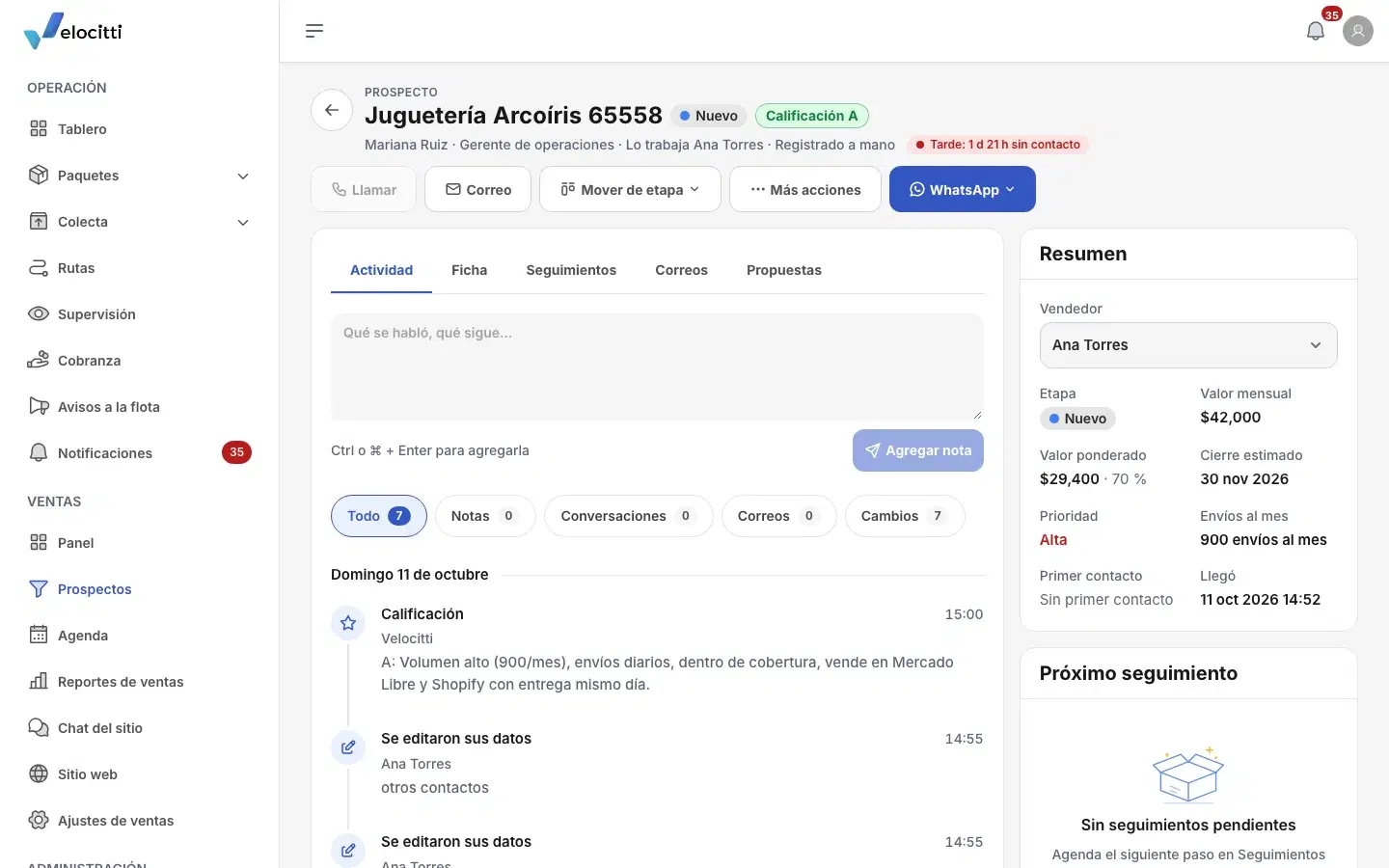
A new prospect can come in from the four-step sign-up form on velocitti.mx, with consent, or from the chat on the site. Each one is assigned to a seller by account size, by zone or by turn, and a light shows how fast the first contact happened.
From the prospect's page, the seller calls, writes on WhatsApp with templates or sends an email, and sees when it was opened and which links were clicked. Replies come back into the same thread. The chat on the site answers with AI, from the articles the team writes and publishes. Proposals come out of the price tables as a web page and a PDF, and there are email sequences too. Two sales roles: the manager sees everything, each seller sees only their own.
For Cash On Delivery
When a shipment carries an amount to collect, the driver records the payment at the door before closing the delivery. At the office, dispatch receives each driver's cash in a closure, and if it doesn't match what was expected, an alert goes out. Then the office pays each merchant, who gets the receipt by email and sees their collections in the portal.
The system always knows where each peso is: with the driver, at the office or already paid to the merchant.
For Orders That Arrive By Email
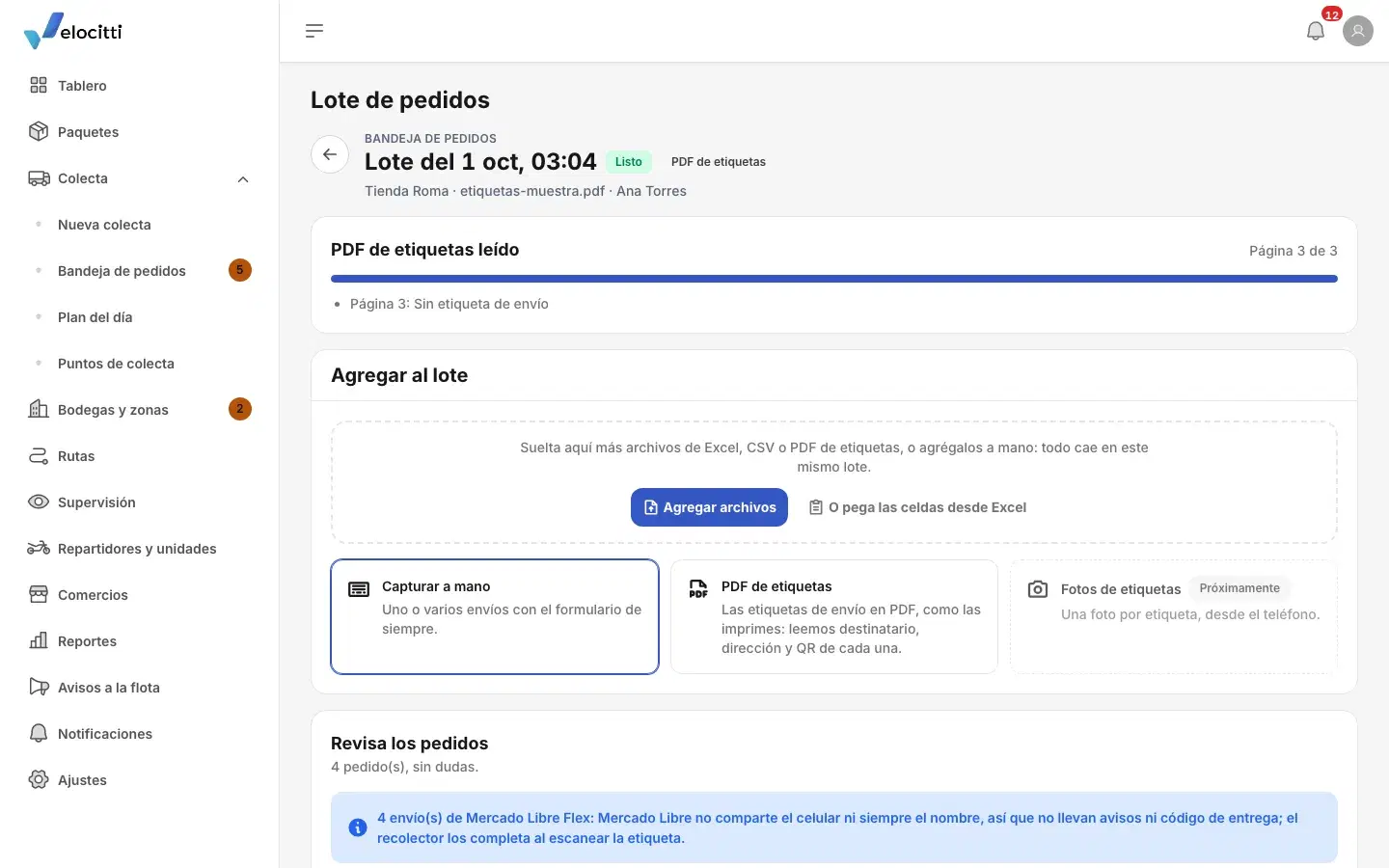
A merchant can also send their Excel file or their label PDF to Velocitti's general mailbox. The system checks that the sender is an authorized merchant, reads the attachments and opens a batch in the order inbox with every row ready to review.
Nothing is confirmed on its own: the office reviews the batch and confirms it, the same as an upload from the portal.
For Notices
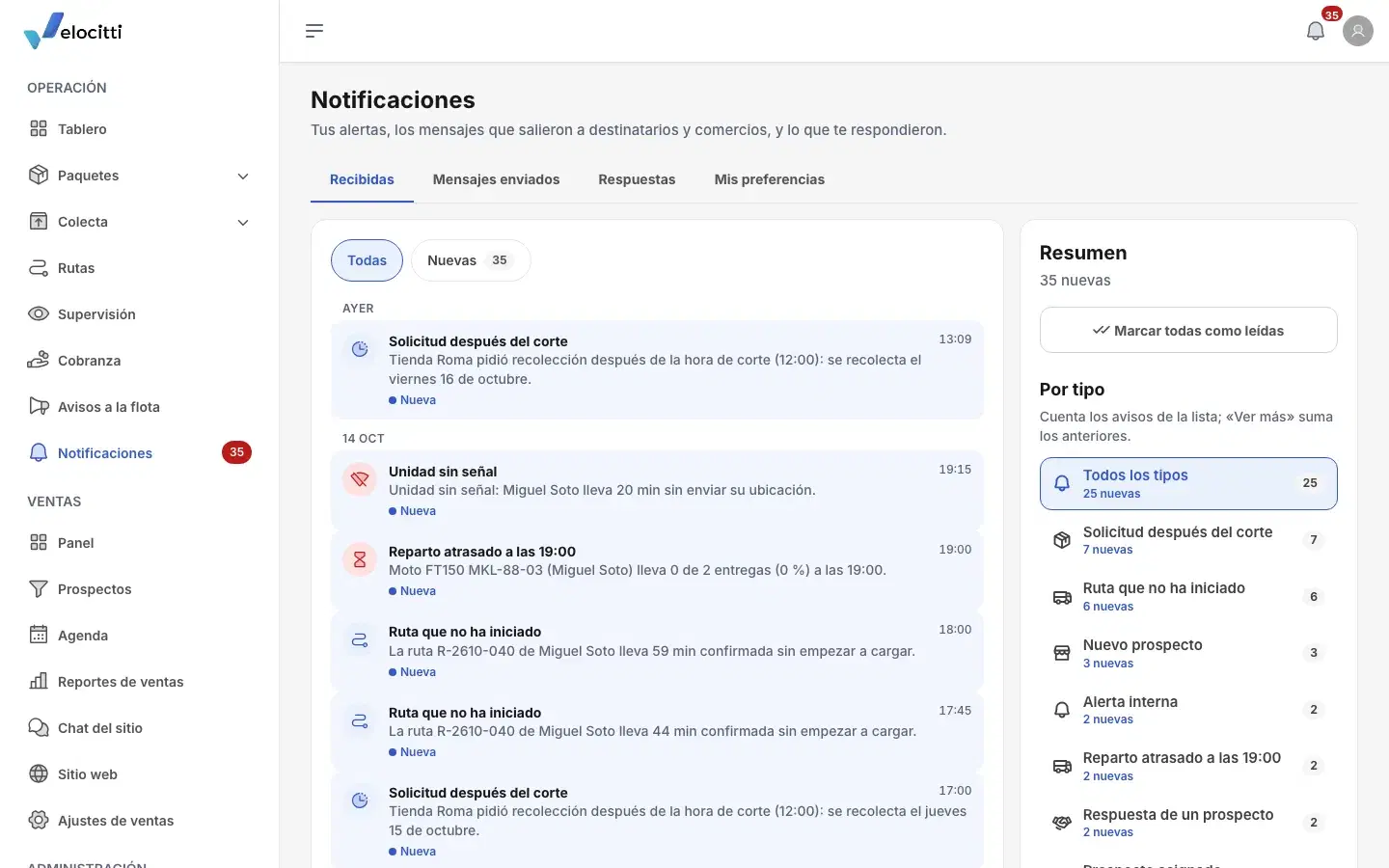
Whoever is waiting on a package gets an email when it's on its way and when it's delivered, with the tracking link. Drivers get a push on their phone when their route is ready or changes. The team gets its alerts in the console's bell and as a push on their phone.
One of those alerts is the one Rogelio asked for: a unit at 75% of its deliveries or less by 7 p.m. WhatsApp and text messages come built in as well, ready for the merchant or the person who turns them on.
The First Live Test
Fourteen days after kickoff, the Android app had its first signed release. On September 28 we tested it live with Rogelio, from Velocitti, and whatever came up during the test got built in the same session: the app was updated three times that day.
That test also put in writing how Velocitti really operates. When a package has no zone rule, it goes to the warehouse closest to its destination. The warehouse sorts and assigns routes by zone. Flex orders take priority and close before 10 p.m. And if a unit is at 75% of its deliveries or less by 7 p.m., Rogelio gets an alert.
Protecting What Already Works
The database backs itself up, and a full restore was actually tested: it took nine minutes. Every change goes through tests before it's published, and the no-signal mode has its own test protocol.
Ready To Grow
The system gives Velocitti a control tower like the big carriers run, the likes of DHL or FedEx: every unit live on the map, every package with its full history, and an alert as soon as a delivery starts falling behind.
Adding a driver takes an invitation: they sign in on their phone, get a unit and start receiving routes. If a unit falls behind, its packages move to another one with a scan, without calls to the office, and the person waiting still gets their updates.
Everything is built to deliver on time and on the first attempt, with a 99% target, and to grow without rebuilding anything: the platform is ready to run up to 3,000 drivers.
What Comes Next
Velocitti has run its daily operation on the system since October 5, 2026, with a 90-day guarantee on everything delivered. The direct connection to Mercado Libre and the iPhone app were set aside as separate stages, to be built when the operation calls for them.